
To ensure you have complied with our principles of conduct around the use of genAI and more generally for academic integrity, your course coordinator may wish to discuss the construction of assessment items with you from time to time. Please make sure that you retain drafts/versions of your progress prior to submission.
To learn more about academic integrity, please access the following resources:
To see how to acknowledge your use of genAI tools in your assessments, check out the Cite page.
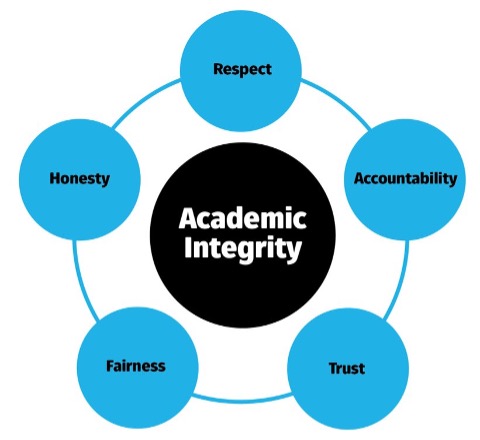
In addition to generating outputs from scratch, genAI tools can also be used to edit or 'tweak' your work. Be sure to check whether AI is suitable to use for your project or assessment, and whether the genAI tool is a good choice to share your work with.
The University of Sydney has some great pages for students interested in learning about how genAI can help with editing their work, including some sample prompts:
The University provides free access for staff and students to the premium version of Copilot; sign in using your University Microsoft account details.
Copilot can also be accessed via the icon in the Edge browser, top right, along from the URL bar.

Copilot draws from GPT-4 and is connected to the Internet so its responses have more chance of using up-to-date sources. Copilot also provides links to where it obtained information, which can aid in checking for authority and accuracy (this is important to do!). Image generation is also possible via Copilot's integration Designer (powered by DALL-E).
The University's access to Copilot provides enterprise protection for your data and does not use your prompts to train the language model or system. Your prompts and Copilot's responses are now saved for 90 days, under enterprise data protection.
It's important to check for the shield icon top-right of window to ensure that you're logged in through the University's access. If you hover your mouse over the shield it should read: "Enterprise data protection applies to this chat", as shown right.

Update 21 August 2025: Microsoft has added opt-in access to GPT-5. To enable GPT-5, users currently need to click the button shown right. The button will then display as 'GPT-5 On'.

Our Writing Prompts page has information from Microsoft on how to get the best out of Copilot.
To learn more about Copilot:
Writing Feedback+ is the free AI-powered feedback service that provides 24/7 personalised feedback on writing, grammar, structure, and critical thinking. The service is available via the Studiosity learning support platform (see Need Help? in Canvas) and allows for unlimited submissions.
While Writing Feedback+ is AI-based, it is not a generation tool like Copilot/ChatGPT/etc. No changes are made to student submissions, as can be the case with other tools that create edits or 'fixes'. This service simply provides helpful advice and suggestions on how to improve the submitted text. Students have control over changes to their writing, making this an ethical and responsible choice for all written assignments. In addition, student submissions are not used to train the platform so data security is not an issue.
Language editing tools, such as Grammarly, can be useful to improve the expression of academic writing. However, it’s always best to check with your course coordinator whether such tools are allowable in a particular assignment.
In particular, the genAI functionality that Grammarly now incorporates should only be used if your Course Coordinator has permitted use of generative AI in the assessment. If you are not sure, you should always ask your Course Coordinator.
If AI is not allowed in a particular assessment, you should make sure that Grammarly's genAI settings are turned off via the Feature Customisation page for your account before use.
Turnitin’s Artificial Intelligence Detection may flag use of Grammarly in written submissions, and drafts of your work can be a useful part of any discussions around your learning and assessment. If you are using Grammarly or similar tools, make sure that you always retain drafts/versions of your work as evidence of how you have constructed your final submission.
See How do I turn on AutoSave? and View previous versions of a file for Microsoft products such as Excel, PowerPoint or Word. Or, you could save a copy of your original draft under a different file name and use this copy with Grammarly so that the AI changes are restricted to a distinct version.
Please note that AI features offered by tools like Grammarly, such as 'grader' and 'detector', should not be relied upon for accuracy. Course materials, including assessment documents and rubrics, must not be uploaded to any AI tools unless the tool is endorsed by the University (see Uploading files to genAI).
There are important considerations around uploading files to genAI tools.
As noted above for files, data security/privacy is a big concern for genAI systems. To ensure that any information you provide in an input does not become part of the AI tool's training data, you should check what is being shared, and whether you can opt out.
The JISC National Centre for AI (UK) has a great summary to help with navigating the terms and conditions of genAI tools across text, image, audio and video generation, plus others, that makes it easier to see what is being shared and whether you can opt out. It's also important to check after any updates/upgrades to the platform that you are still not sahring your information more broadly, otherwise it could become part of a later output and used by someone else.
Note that the University's enterprise access to Copilot includes data security that is highly visible when you log in, top right of screen.
To be safe, it's always best to limit any personal or potentially sensitive information shared with a genAI tool, so being careful when creating CVs and personal or oral histories. Consideration should also be given to uploading interview transcripts and similar materials.
HDR students may have additional considerations from working in research spaces. HDR students and their supervisors should read the guidance for Generative Artificial Intelligence and Higher Degrees by Research (PDF). See also our page on AI for Research.
We'd love to hear your feedback on this portal. If you think changes could be made, or more information added, please visit our feedback page.